Types
To create a new type, right click in the left pane (type view) and select ‘New’.
If the left pane is hidden, press Ctrl-Tab or click on the ‘>>’ button in the upper left.
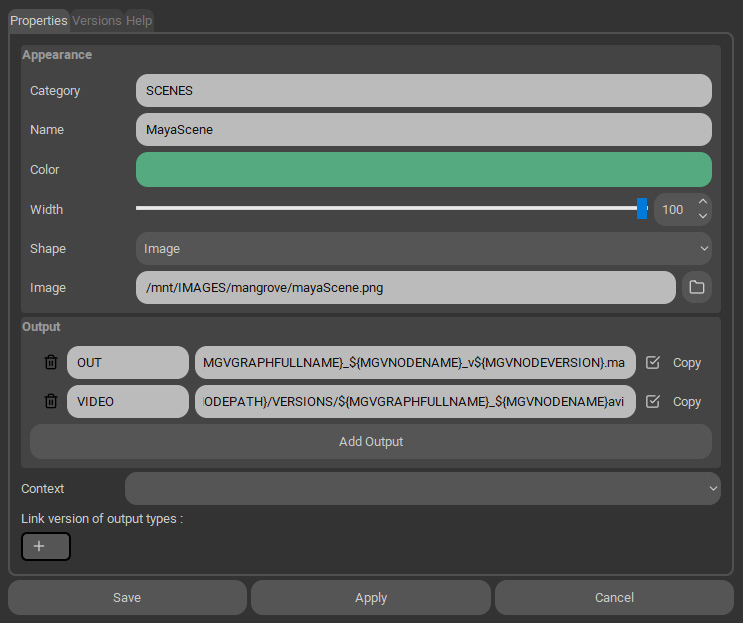
Category: a name to group types by categories in the type left panel.
Name: the name of the type.
Color: the color of a the graph node of this type (if its shape is not set to image). The color of the text of the node is based on the luminance of this color.
Width: the width of the node.
Shape: the node can be rectangular, circular or a custom image.
Image: the image use to represent the node. The alpha channel is used for transparency. When the picture is selected with the folder button on the right, the shape of the picture is auto-generated (ExtractPath function in the module mgvApi) and the color attribute is set with the mean value of some (10000) pixels randomly selected.
Output: add type files. Those are files or folders associated with this type, A environment variable with those values will be set in node’s actions. If “copy” is checked, the file will be duplicated when a new version is created.
Context: the project context to use (a set of environment variables defined in the projects settings).
Link version of output types: add other types here. Add, change or delete version of this node will synchronise versions of connected node of those types in output.
Versions
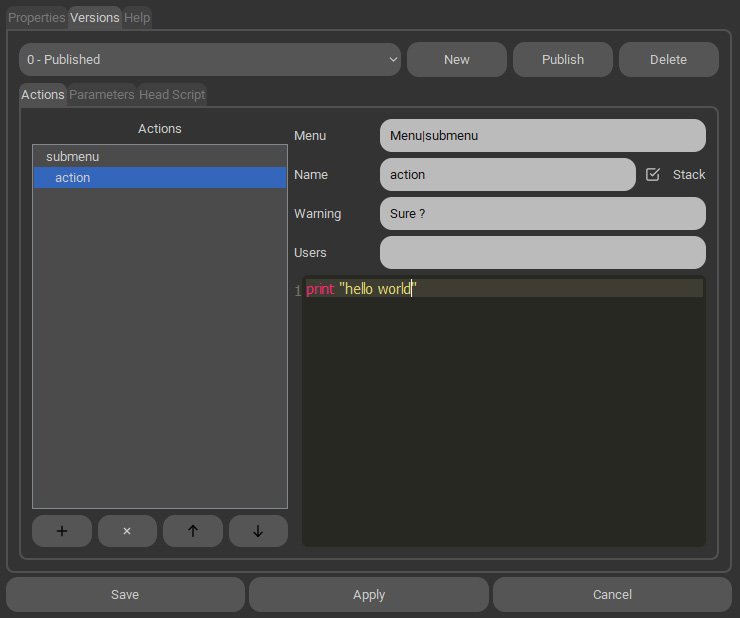
Versioning: Actions, parameters and head script are versioned. The published version is used by default by nodes, but each node can use a different version in its advanced parameters.
Actions
Menu: actions can be organised in menus and submenus in the filed “Menu”. Separate menus by the “|” character.
Stack: If the stack parameter is checked, this action will start after the previous action is finished.
Warning: If the warning is not empty, a dialog will be prompte with this message to confirm the execution of the action.
Users: If the Users parameter is not empty, only this list of users (separated by space) will see this action.
Parameters
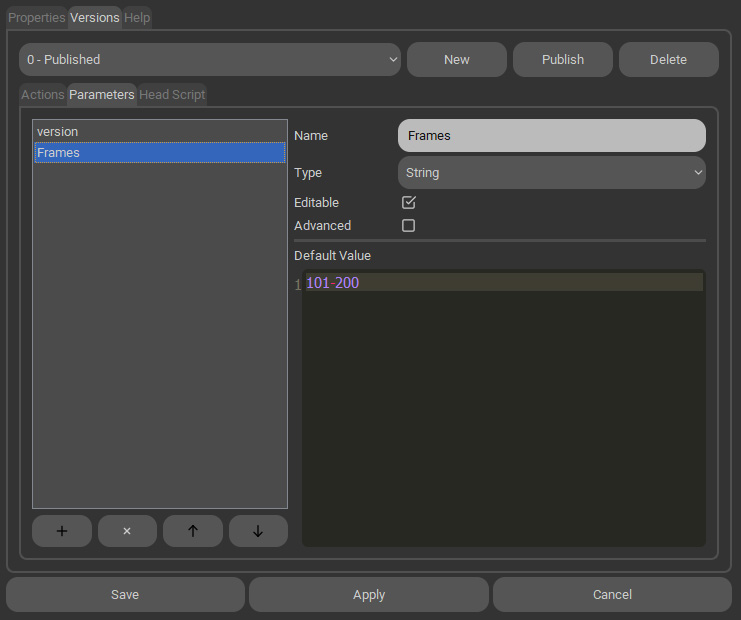
Type: Bool, Int, Float, String, Text, Python, File or Enum. All will be set as string environment variables, but will have different widgets in the node editor.
Bool environment variable will be converted to the string “True” or “False”. Enum is a list of words separated by “;”.
Editable: A parameter not editable will not appear in the node editor. Useful to store scripts callable in actions, for example.
Advanced: If checked, the parameter will be shown in the node editor’s advanced section.
Head Script
Second part of a node action script. See Node Action for more details.
Help
Message to show when the mouse stops on a type item in the left panel. Accept markdown style.