Automation
To manage automation, select the menu Graphs / Automation…
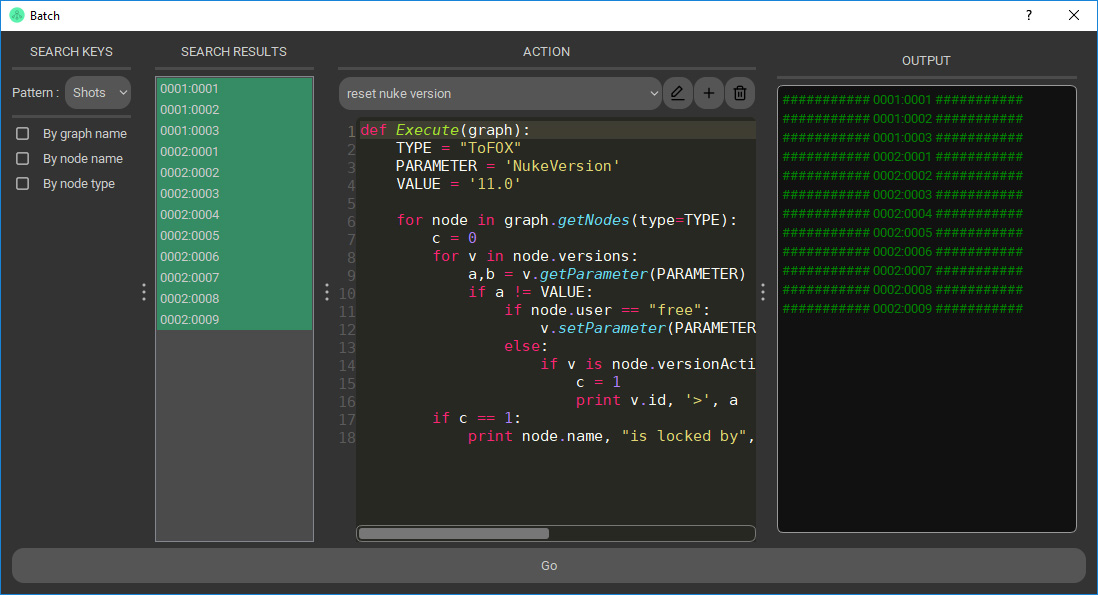
Search keys
You have to select a pattern to filter graphs, then three more filters are optional :
- By graph name: Only graphs which path (list of keys separated by “:”) contains this string are shown (i.e. “S0001” or “1:P1”).
- By node name: Only graphs whith a node’s name containg this string are shown.
- By node type: Only graphs with a node of this type are shown.
Filters are cumulative, if you choose “By node name” and “By node type”, only graphs with both are shown.
Search results
Select graphs on which you want to execute the script.
Action
The action must define an “Execute” function with a parameter “graph”.
The action will be executed with each MgvGraph object.